Several guides ranking for "faq schema" still say the markup will win you FAQ rich results, the Google search feature built from a page's FAQ markup. Google's own Search Console Help now reads: "As of May 7, 2026, FAQ rich results are no longer appearing in Google Search."
FAQ schema is FAQPage markup from schema.org, the shared vocabulary search engines use to read page content. The code itself is still valid, so what's left to decide is what it does for you now.
We cover what FAQ schema is, a copy-paste example, what changed at Google, how it compares with QAPage, how to add and test it, the mistakes to avoid, and whether to keep it.
What Is FAQ Schema?
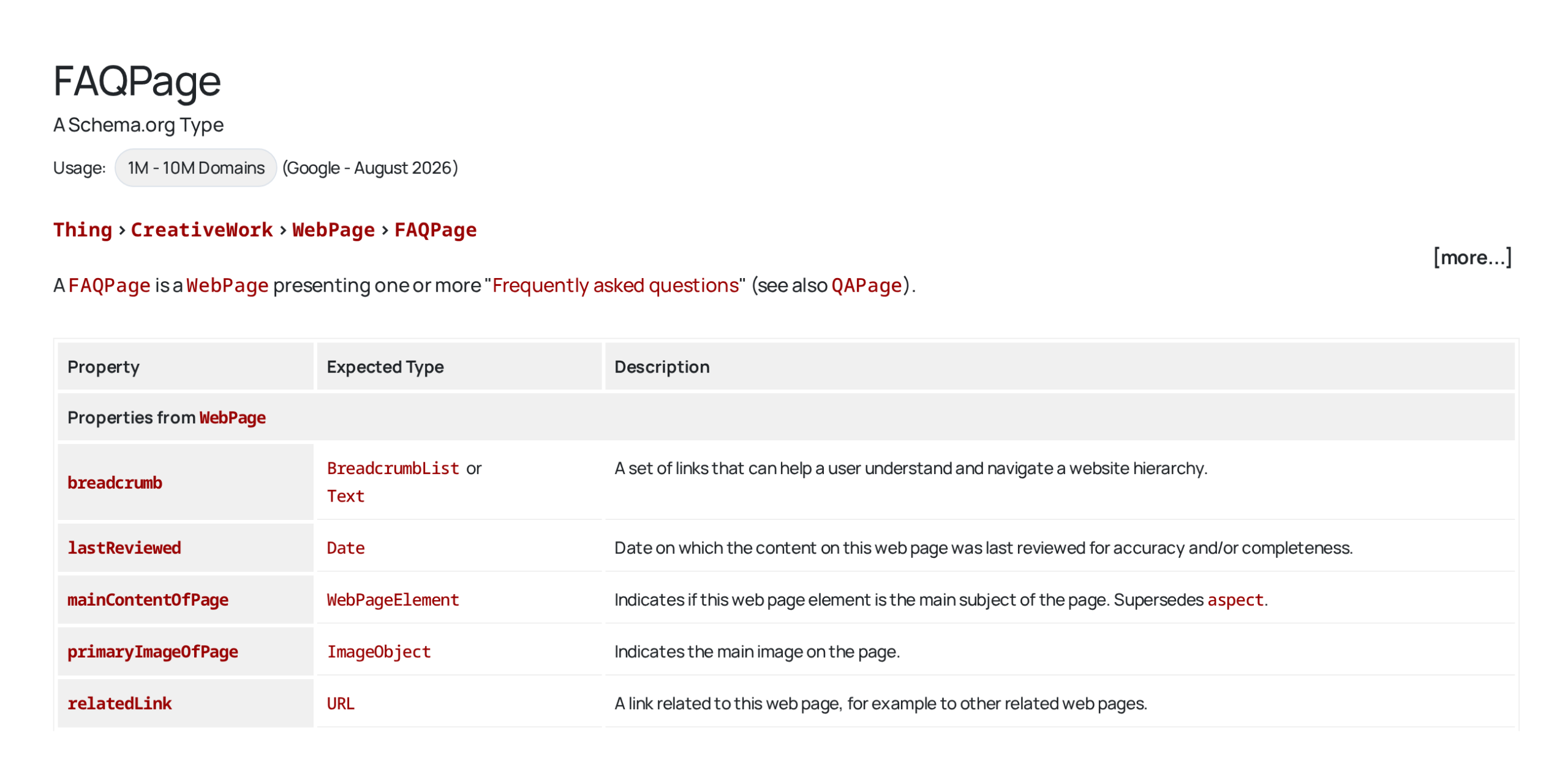
FAQ schema is three schema.org types nested inside each other: FAQPage, Question and Answer. Schema.org defines the outer one in a single line: "A FAQPage is a WebPage presenting one or more 'Frequently asked questions' (see also QAPage)."
The schema.org entry for the type, with that definition at the top:
Each type has one job:
FAQPage marks the page, and its mainEntity property holds the list of questions.
Question wraps one question, with the question text in name.
Answer goes inside each question's acceptedAnswer, with the answer text in text.
The format Google recommends for this is JSON-LD, a block of code inside a script tag that readers never see on the page. Its advice is to pick the format that's "easiest for you to implement and maintain," and for most sites it names JSON-LD.
The next section puts the three types together in one block you can copy.
Example of FAQ Schema in JSON-LD
This block marks up two questions and passes as valid FAQPage markup. (The questions come from a shop, but the structure is the same for any page.)
html <script type="application/ld+json"> { "@context": "https://schema.org", "@type": "FAQPage", "mainEntity": [ { "@type": "Question", "name": "Do you offer gift wrapping?", "acceptedAnswer": { "@type": "Answer", "text": "Yes. Choose gift wrapping at checkout." } }, { "@type": "Question", "name": "Can I change my order after paying?", "acceptedAnswer": { "@type": "Answer", "text": "Yes, until it ships. Email us with your order number." } } ] } </script>
To adapt it:
Swap in your own questions and answers, word for word as they appear on the page.
Add one Question block per question, with a comma between blocks.
Leave the @context and @type lines as they are.
The code above is still correct. What changed is what Google does with it.
Is FAQ Schema Still Relevant?
For Google's search results, no: Google has retired the feature FAQ schema was built for. Its documentation changelog entry for May 8, 2026 is titled "Deprecating the FAQ rich result feature."
The Search Central changelog entry that announced it:
The change came in steps:
August 8, 2023: Google limited FAQ rich results to "well-known, authoritative government and health websites."
May 7, 2026: the end date Google gave. Search Console's performance report shows fewer FAQ impressions from then on.
June 15, 2026: Google removed its FAQ rich result documentation. The old page now redirects to the changelog entry that records the removal.
What Google Says About AI Search
Google says FAQ schema isn't needed for its AI features either. Its guide to generative AI features in Search says: "Structured data isn't required for generative AI search, and there's no special schema.org markup you need to add."
The same guide still calls structured data "a good idea" because "it helps with being eligible for rich results on Google Search." FAQPage no longer has a rich result, so that reason doesn't apply to it.
What Google's AI features guide does ask for is the SEO basics, including "making sure that important content is available in textual form." For an FAQ, that's the questions and answers written on the page, the same groundwork we cover in our post on LLM SEO.
Google's guidance covers Google Search. It doesn't say how ChatGPT, Perplexity or other AI assistants treat FAQPage markup.
If you still use the markup, the next choice is which type fits your page.
Get Your Clients Cited Where Competitors Already Are
Use FAQPage when you write the answers yourself, and QAPage when users submit answers to one question. Google's QAPage guide lists "An FAQ page written by the site itself with no way for users to submit alternative answers" as a page that shouldn't use QAPage.
FAQPage
QAPage
Who writes the answers
The site
Users, such as forum members
Questions per page
One or more
One
Google rich result
Retired
Eligible when Google's QAPage guidelines are met
The same Google list rules out QAPage for "a blog post that answers a question." So a forum thread gets QAPage, and the FAQ you wrote for your own page gets FAQPage.
For a page where you wrote the answers, adding FAQPage takes four steps.
How to Add FAQ Schema to Your Page
Write the FAQ on the page, build the JSON-LD, paste it into the page, then publish and test. The example block from earlier in this post is the starting point.
#1 Write the questions and answers on the page
Put the FAQ in the page body first, as short questions with direct answers under them. The markup copies this text and never replaces it.
#2 Build the JSON-LD block
Adapt the example above using the three edits listed under it. An FAQ schema generator does the same job if you'd rather fill in a form.
#3 Add the block to the page
Pick the option your site already uses:
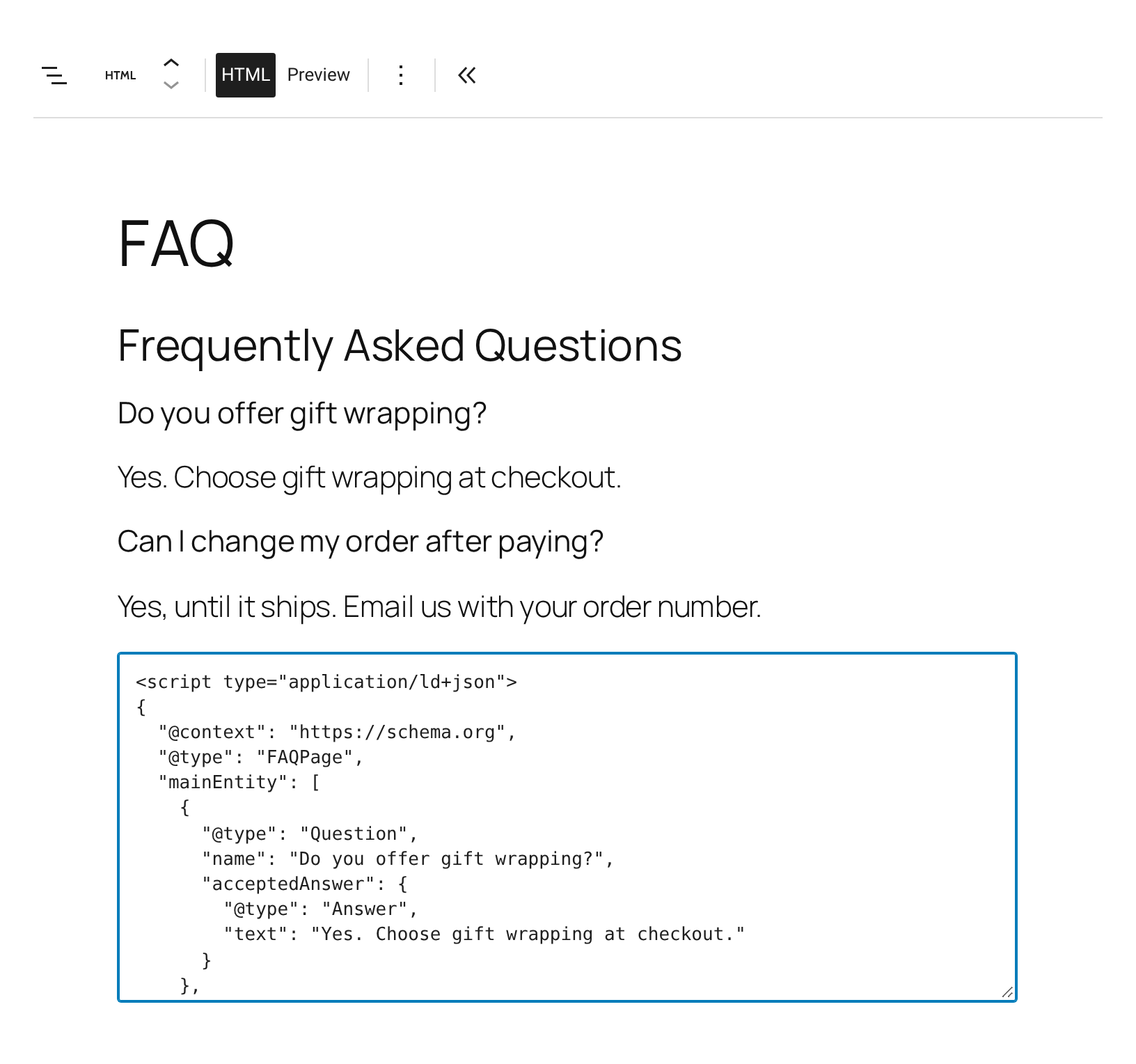
WordPress block editor: add a Custom HTML block where the FAQ ends and paste the whole script into it.
SEO plugin or CMS: use its schema or header code field. Google's own docs note that on a CMS, "it may be easier to use a plugin that's integrated into your CMS."
Site template: ask your developer to place the script in the page's HTML, in the head or the body.
A Custom HTML block in the WordPress editor with the FAQPage script pasted in:
#4 Publish and test
Publish the page, then check it with the two tools in the next section.
How to Test and Validate FAQ Schema
Check the code with the Schema Markup Validator, then use URL Inspection to confirm Google received it. Google's Rich Results Test won't help here, because its list of supported types, from Breadcrumb to Video, doesn't include FAQ.
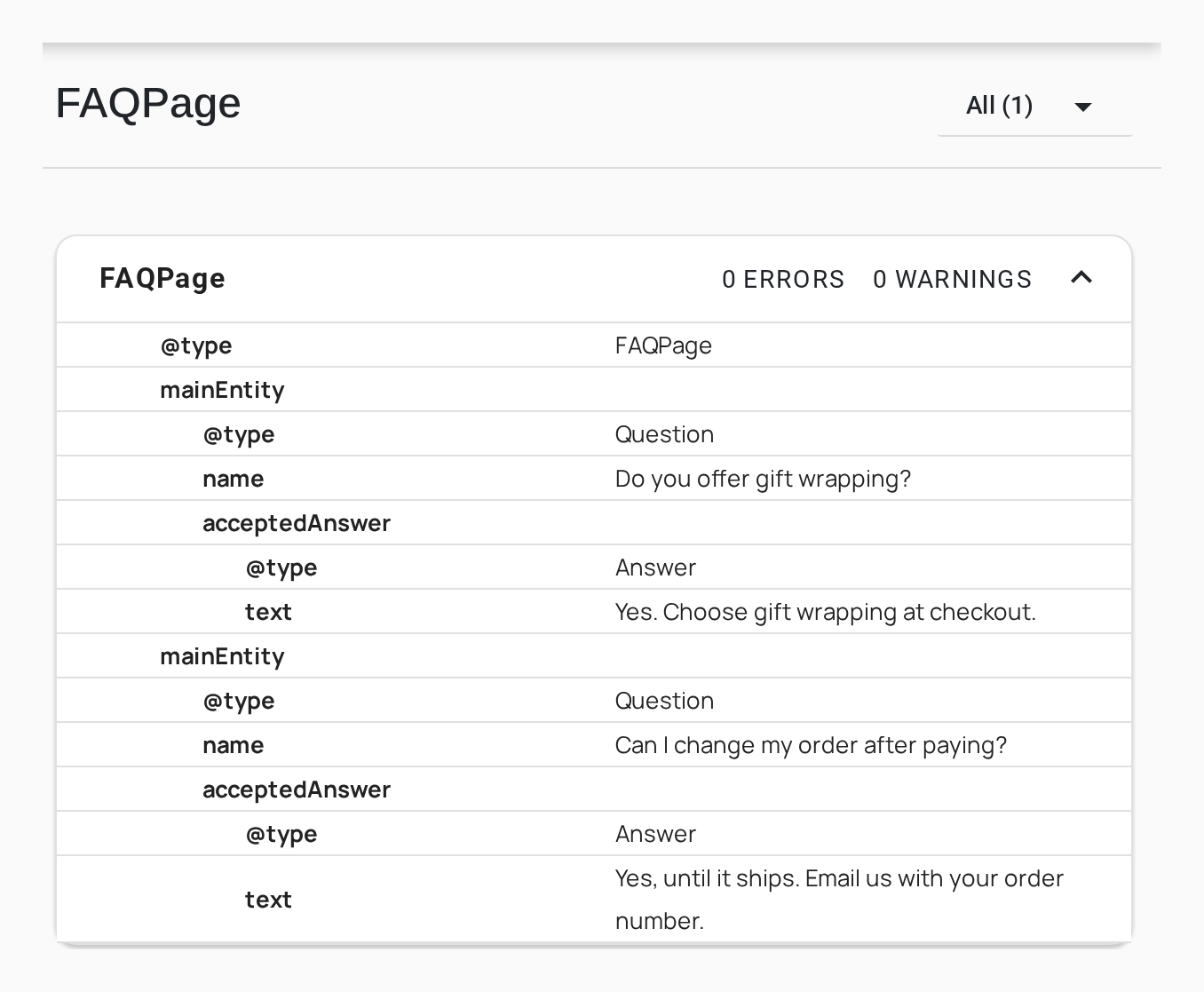
1. Run the page URL or the code through the Schema Markup Validator. It's the schema.org project's own checker, and it lists the FAQPage, Question and Answer items it finds with any errors, such as a missing comma.
2. Open URL Inspection in Search Console and enter the page URL. Click View crawled page and search the HTML for "FAQPage" to confirm Google got the script.
That second check comes from Google's own advice for types its test doesn't support: "check the rendered HTML. If the rendered HTML contains the structured data, Google Search will be able to process it."
The Schema Markup Validator result for the example code above:
A clean result covers the code only. Google's guidelines also cover what you mark up.
Common FAQ Schema Mistakes
The mistakes Google's guidelines warn about are about the content you mark up. Its general structured data guidelines set most of the rules below.
The visible-content rule in those guidelines:
Get Your Clients Cited Where Competitors Already Are
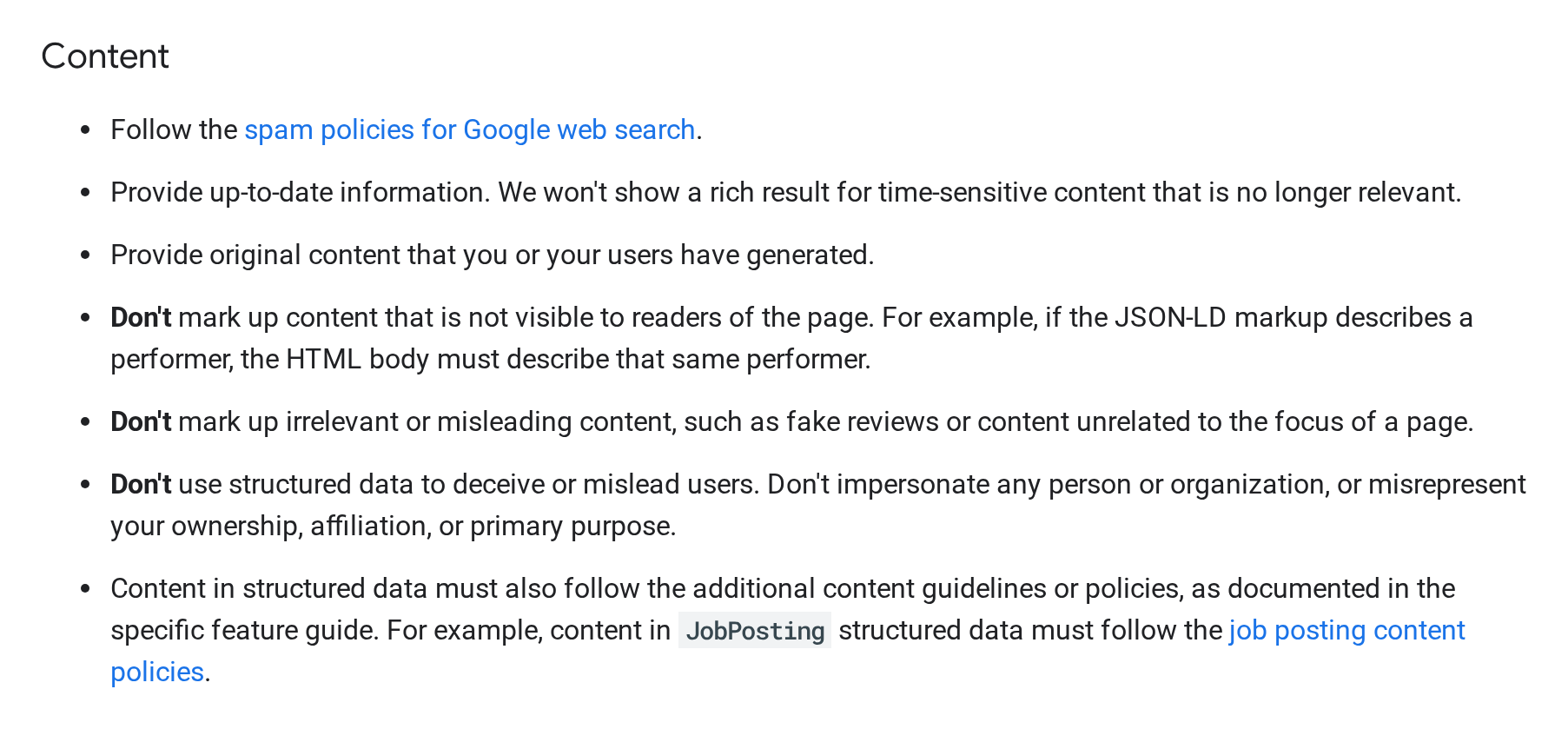
Questions readers can't see. Google's rule is "Don't mark up content that is not visible to readers of the page."
Answers that differ from the page. Google's AI features guide lists "making sure your structured data matches the visible text on the page" among its SEO basics.
Questions unrelated to the page. Google asks you not to mark up "irrelevant or misleading content."
Comments left inside the JSON-LD. Google says the JSON-LD standard doesn't support comments and tells you to "remove any comments from JSON-LD before publishing."
A page blocked from Google. Google says not to block structured data pages with robots.txt, noindex or other access controls.
If your existing markup passes all five, the last question is whether to leave it in place.
Should You Keep or Remove FAQ Schema?
Keep it if it matches your FAQ and takes no work to maintain. When Google first cut FAQ rich results back in 2023, it said there's "no need to proactively remove it."
Use this to decide:
Keep it when your CMS or plugin builds it from the visible FAQ, so the code updates when the page does.
Remove it when someone pasted it in by hand and the answers on the page have changed since.
Skip it on new pages if a Google search feature was the only reason to add it.
Either way, keep the visible FAQ current, since that's the text readers and search engines see.
Conclusion
Write your FAQ for readers first, add FAQPage markup only where it copies that text, and check it with the Schema Markup Validator and URL Inspection.
SurgeGraph covers the page side of that work:
Writing the questions and answers: the AEO scan flags missing question-format headings and absent direct answers, then offers one-click fixes that rewrite those sections.
Checking the page before you publish: the AEO score, a 0 to 100 diagnostic of how well a page is structured to be cited by AI answer engines, evaluates structured data and answer formatting.
Seeing what AI answers do with the page: the AI Visibility dashboard monitors citations and mentions across AI answer engines over time.
Yes, if the questions and answers appear on that product page. Google's general guidelines ask you to put structured data on the page it describes.
How many questions should FAQ schema include?
Schema.org defines FAQPage as a page with "one or more" frequently asked questions, so one is enough. Google's guidelines ask for complete markup, so include every question in the FAQ that readers can see.
Does FAQ schema affect Google rankings?
When Google cut back FAQ rich results in 2023, it said the change "should not be considered a ranking change." Its structured data docs describe markup as a way to understand a page and show rich results.
Can FAQ schema be added with Google Tag Manager?
Yes. Google's guide to generating structured data with JavaScript covers it: add a Custom HTML tag, paste the JSON-LD into it and publish the container.
Google suggests using variables that pull the text from the page, so the markup stays the same as what readers see.
Is an FAQ section the same as FAQ schema?
No. The FAQ section is the questions and answers readers see on the page.
FAQ schema is a script in the page code that describes that section, and a page can have the section without the script.
NOTE:
This article was written by SurgeGraph's AI writer using a custom Author Synthesis voice profile, then reviewed by a human editor. Author Synthesis learns a brand's voice from real writing samples so generated content matches its tone, cadence, and phrasing.
Chase Dean
SEO Specialist at SurgeGraph
Chase is the go-to person in making the “Surge” in SurgeGraph a reality. His expertise in SEO spans 6 years of helping website owners improve their ranking and traffic. Chase’s mission is to make SEO easy to understand and accessible for anyone, no matter who they are. A true sports fan, Chase enjoys watching football.