AI overview tracking is the habit of checking, on a fixed schedule, whether Google's AI Overview for a question names your brand and links your pages. The catch is that one check can't tell you much on its own.
A tracker fixes that: the same questions, the same set-up and a fixed schedule, with every check logged.
Here is what to record, how to run a tracker by hand, and how to read a change without raising a false alarm.
The short version:
An AI Overview tracker logs three readings per check: whether an AI Overview appeared, whether it named your brand and whether it linked your page.
Search Console and a one-off search can't show what the AI Overview said, so log the answer itself on a fixed schedule.
When a reading changes, check your set-up, the trigger and the new sources, then wait for three checks in a row before you call it a drop.
What Is AI Overview Tracking?
An AI Overview is the AI-written summary Google shows above some search results. AI overview tracking records what that summary says about your brand, question by question and date by date.
Google says AI Overviews are shown only when its systems judge them additive to classic Search, so they often don't trigger (Google Search Central). That makes "no AI Overview" a reading of its own.
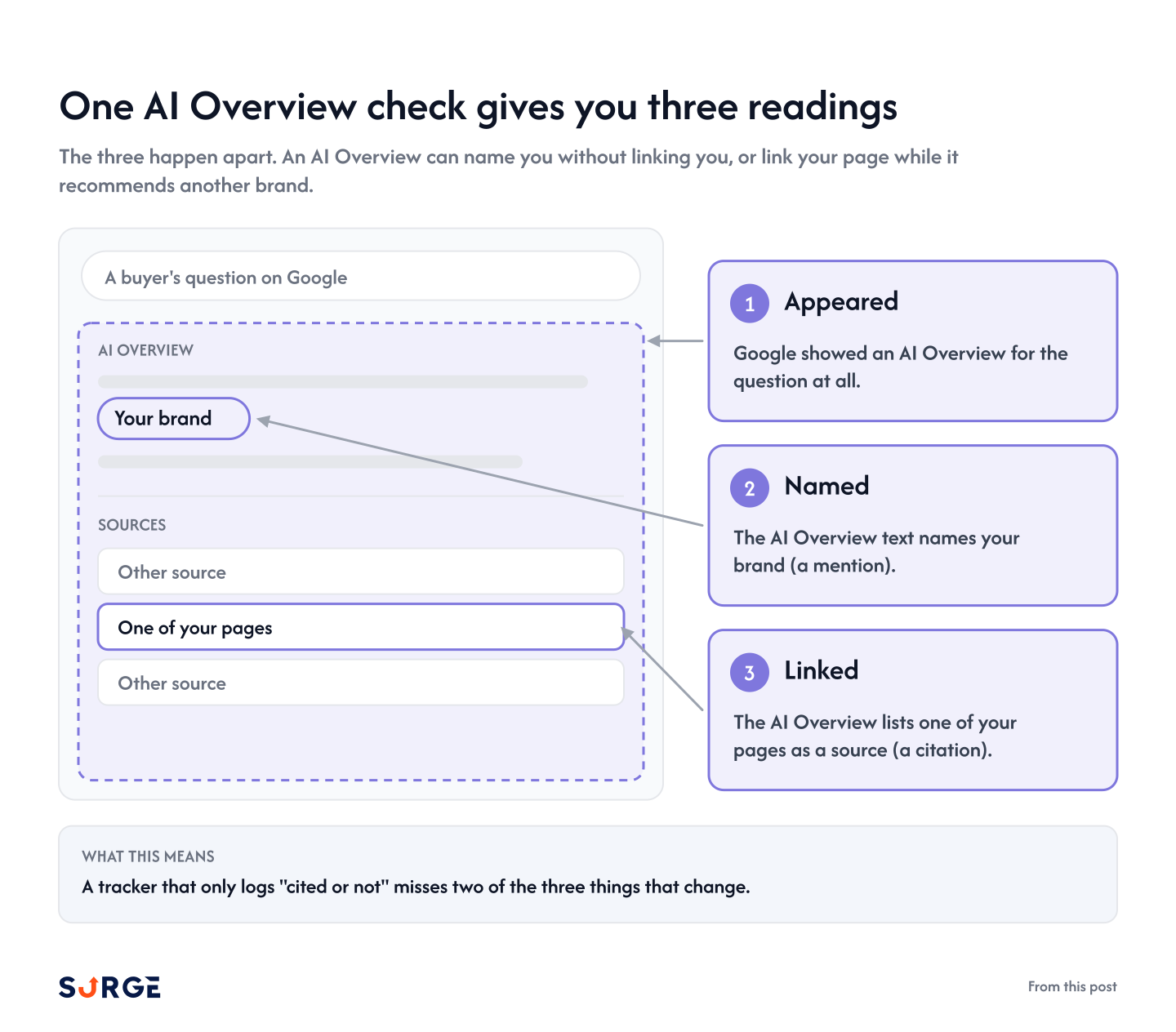
Each check gives you three readings:
Appeared: Google showed an AI Overview for the question at all.
Named: the AI Overview text names your brand (a mention).
Linked: the AI Overview lists one of your pages as a source (a citation).
The three happen apart. An AI Overview can name you without linking you, or link your page while it recommends another brand.
That is why AI search tracking keeps mentions and citations in separate columns, with a history behind each one.
The source list a tracker shows for a Google AI Overview can be shorter than what the answer displays, so treat it as a sample, not a full list.
Here is where the three readings sit in one AI Overview:
Appeared, named and linked are three separate entries in the log.
What this means: a tracker that only logs "cited or not" misses two of the three things that change.
Why Search Console and Manual Checks Fall Short
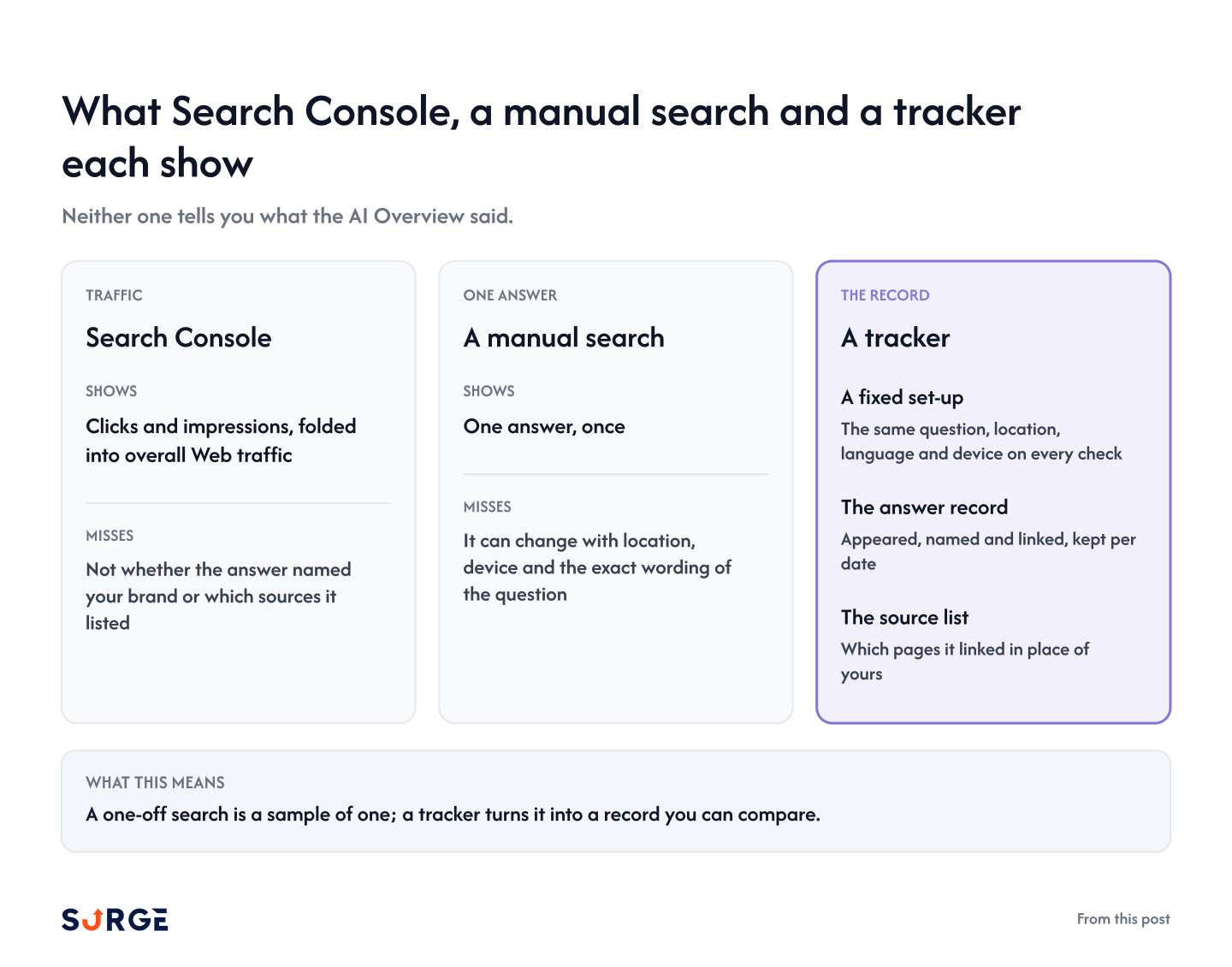
Most teams start with two tools they already have: Search Console and a quick search. Neither one tells you what the AI Overview said.
Search Console folds sites that appear in AI Overviews into overall Web traffic (Google Search Central). It shows clicks and impressions, not whether the answer named your brand or which sources it listed.
A manual search has the opposite problem: it shows one answer, once. An AI Overview is generated per search and can change with location, device and the exact wording of the question, so the version you see may not be the one your buyer sees.
That leaves three things neither tool gives you:
A fixed set-up: the same question, location, language and device on every check.
The answer record: whether the AI Overview appeared, named you and linked you, kept per date.
The source list: which pages it linked in place of yours.
One check also misses more than most teams expect. In a sample project, a single check left out a brand that Google AI Overviews usually names (in at least half its answers to that question) 30.7% of the time.
You can run an AI Overview tracker in a spreadsheet. The six steps below follow the way we checked the sample project.
#1 Pick the questions and keep them fixed
List the questions your buyers type into Google before they buy, in their own words. Keep the wording identical from check to check, because a reworded question is a new question.
#2 Fix the set-up for every check
Use the same location, language and device every time, and write them at the top of the log. That way a change in the log comes from the answer and not from your set-up.
The sample project's checks were US English only.
#3 Record the three readings for each question
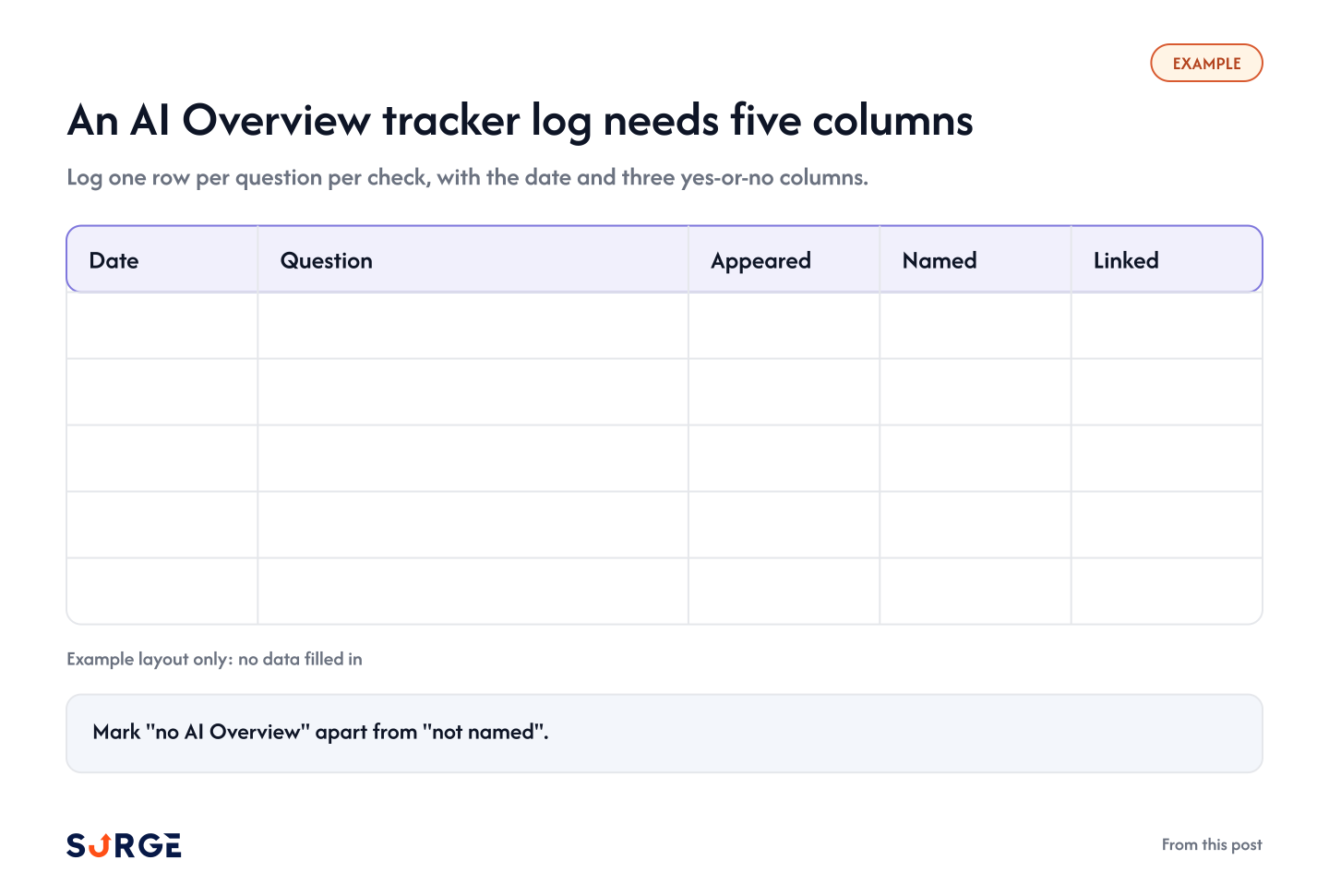
Log one row per question per check, with the date and three yes-or-no columns:
Appeared: was there an AI Overview?
Named: did the AI Overview text name your brand?
Linked: did its source list include one of your pages?
Mark "no AI Overview" apart from "not named". A question with no AI Overview that day tells you nothing about your brand.
#4 Check on a fixed schedule
Pick an interval and keep it, such as weekly, with no two checks on the same day. In the sample project, check dates ran 1 to 6 days apart, most often 3, and the three-check rule below is built on that spacing.
#5 Judge after three checks and confirm with five
Call nothing lost on one miss. In the sample project, three misses in a row happened to a usually-named brand only 7.4% of the time, and five in a row only 2.0%.
#6 Read the trend, not the snapshot
For each question, track the share of recent checks that named you. A brand named in 4 of the last 5 checks is in a different spot from one named once.
Here is an empty example of the log layout:
An example layout only: the columns, with no data filled in.
When this doesn't apply: the three-checks rule is for brands an engine usually names. For a brand it rarely names, one check tells you little either way.
How to Track AI Overviews With SurgeGraph
A hand log works for a short list. Past a few dozen questions, the repeat schedule is the part that slips.
SurgeGraph's AI Visibility dashboard monitors brand mentions and citations across AI engines over time, so the repeat checks run without a spreadsheet. It tracks ChatGPT, Perplexity, Gemini, Google AI Mode and Google AI Overview, with the engines set by plan: every plan covers ChatGPT and Google AI Overview, and higher plans add the others.
What the hand routine maps to inside the dashboard:
The question list: tracked prompts, up to 333, 888 or 1,666 by plan.
The log rows: the Prompt Performance page, where an expanded prompt row has engine tabs and a date stepper for moving between checks.
The linked column: the Citation Sources tab in the right-hand panel, next to the Rankings and Ads tabs.
The trend: mentions and citations over time, per engine.
AI Visibility analytics are included at every plan tier, with no credit cost.
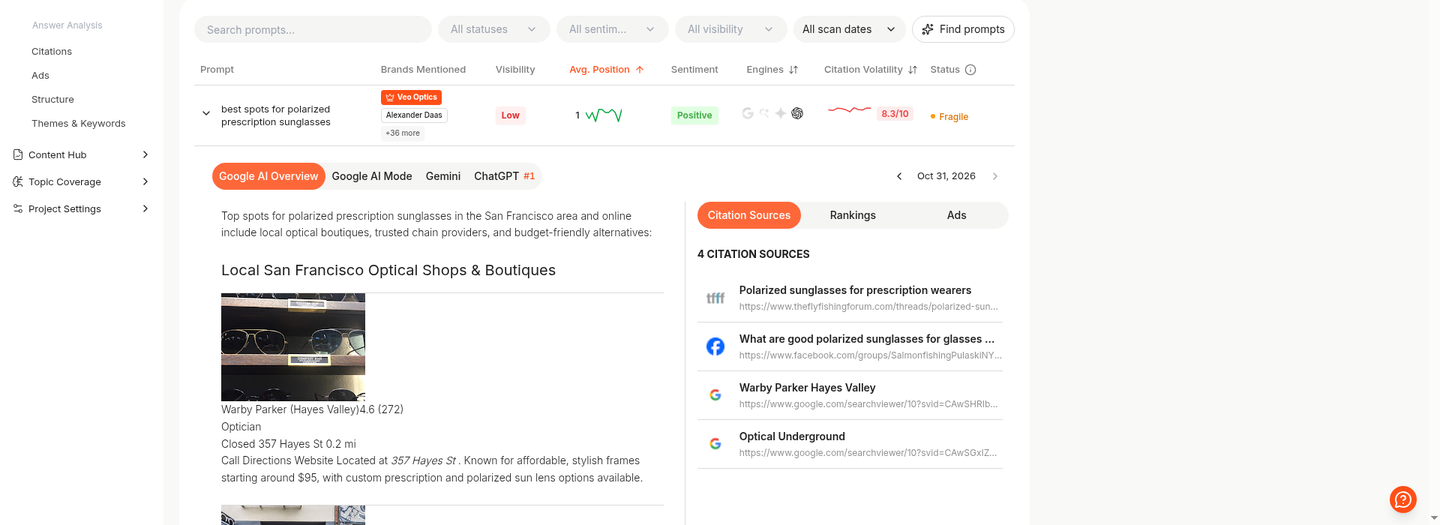
Here is one tracked question in a sample project, opened on its Google AI Overview answer with the cited sources beside it:
Prompt Performance in a sample project: one tracked question at average position 1 with positive sentiment, opened on the Oct 31, 2026 Google AI Overview answer and its 4 citation sources.
What this means: you can open any check date and read the exact answer and sources, so every change in the trend has evidence behind it.
Get Your Clients Cited Where Competitors Already Are
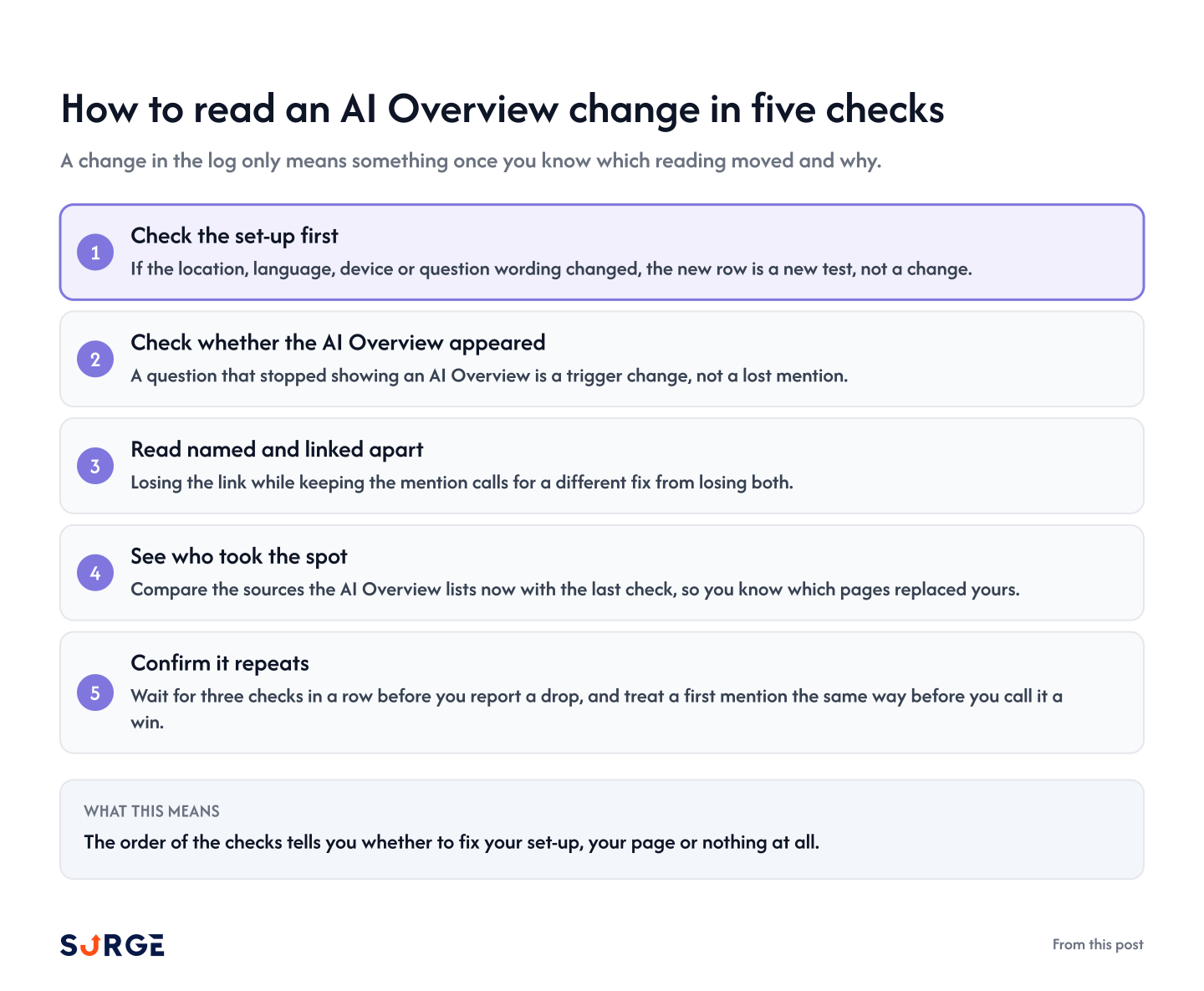
A change in the log only means something once you know which reading moved and why. Work through it in this order:
1. Check the set-up first. If the location, language, device or question wording changed, the new row is a new test, not a change.
2. Check whether the AI Overview appeared. A question that stopped showing an AI Overview is a trigger change, not a lost mention.
3. Read named and linked apart. Losing the link while keeping the mention calls for a different fix from losing both.
4. See who took the spot. Compare the sources the AI Overview lists now with the last check, so you know which pages replaced yours.
5. Confirm it repeats. Wait for three checks in a row before you report a drop, and treat a first mention the same way before you call it a win.
Here are the five checks on one card:
Five checks, in order, before you call a change a drop or a win.
What this means: the order of the checks tells you whether to fix your set-up, your page or nothing at all.
Conclusion
AI overview tracking is a repeat habit: log whether the AI Overview appeared, named you and linked you, on the same questions and the same schedule. When a reading changes, rule out your set-up and the trigger, look at which sources took your place, and wait for the change to repeat.
Start with a short question list, fix your set-up, and call nothing lost until three checks in a row agree.
How do I see AI Overview clicks in Google Search Console?
You can't split them out. Google includes sites that appear in AI Overviews and AI Mode in overall search traffic, in the Performance report under the "Web" search type (Google Search Central). An AI Overview tracker fills that gap by logging the answer itself.
Does being linked in an AI Overview mean my page ranks on page one?
This post's data doesn't test rankings. Google says a page must be indexed and eligible to show in Search with a snippet to appear as a supporting link, with no extra technical requirements (Google Search Central). Track the two side by side rather than assuming one from the other.
What is the difference between an AI Overview and AI Mode?
An AI Overview is a summary on the normal results page, shown only when Google judges it adds something. AI Mode is a separate experience for questions that need more reasoning or comparison, and Google says the two may use different models, so their answers and links vary (Google Search Central).
Which other AI engines should I track next to AI Overviews?
Track the engines your buyers use. ChatGPT and Gemini are a common next pair, and Google AI Mode sits on the same results page. Keep a separate log per engine, because each one moves at its own rate. In a sample project, one check missed a usually-named brand 23.4% to 30.7% of the time across the three engines.
Can I track AI Overviews in other markets or languages?
Yes. Set the location and language for each market and keep one log per market, so the set-up stays fixed. The sample project's numbers are US English only, so check each new market on its own before you carry the rules over.
NOTE:
This article was written by SurgeGraph's AI writer using a custom Author Synthesis voice profile, then reviewed by a human editor. Author Synthesis learns a brand's voice from real writing samples so generated content matches its tone, cadence, and phrasing.
Eli Taylor
Digital Marketer at SurgeGraph
Eli lives and breathes digital marketing and AI. He always seeks new ways to combine AI with marketing strategies for more effective and efficient campaign executions. When he’s not tinkering with AI tools, Eli spends his free time playing games on his computer.